See who is on your network and what is at risk
Every device with its name, OS and ports, plus a plain-language action plan to fix what matters. No attacks, no drivers. Scanning runs on your computer; the cloud is optional.
Free forever for the essentials. 14 days of Pro when you sign up, no card.
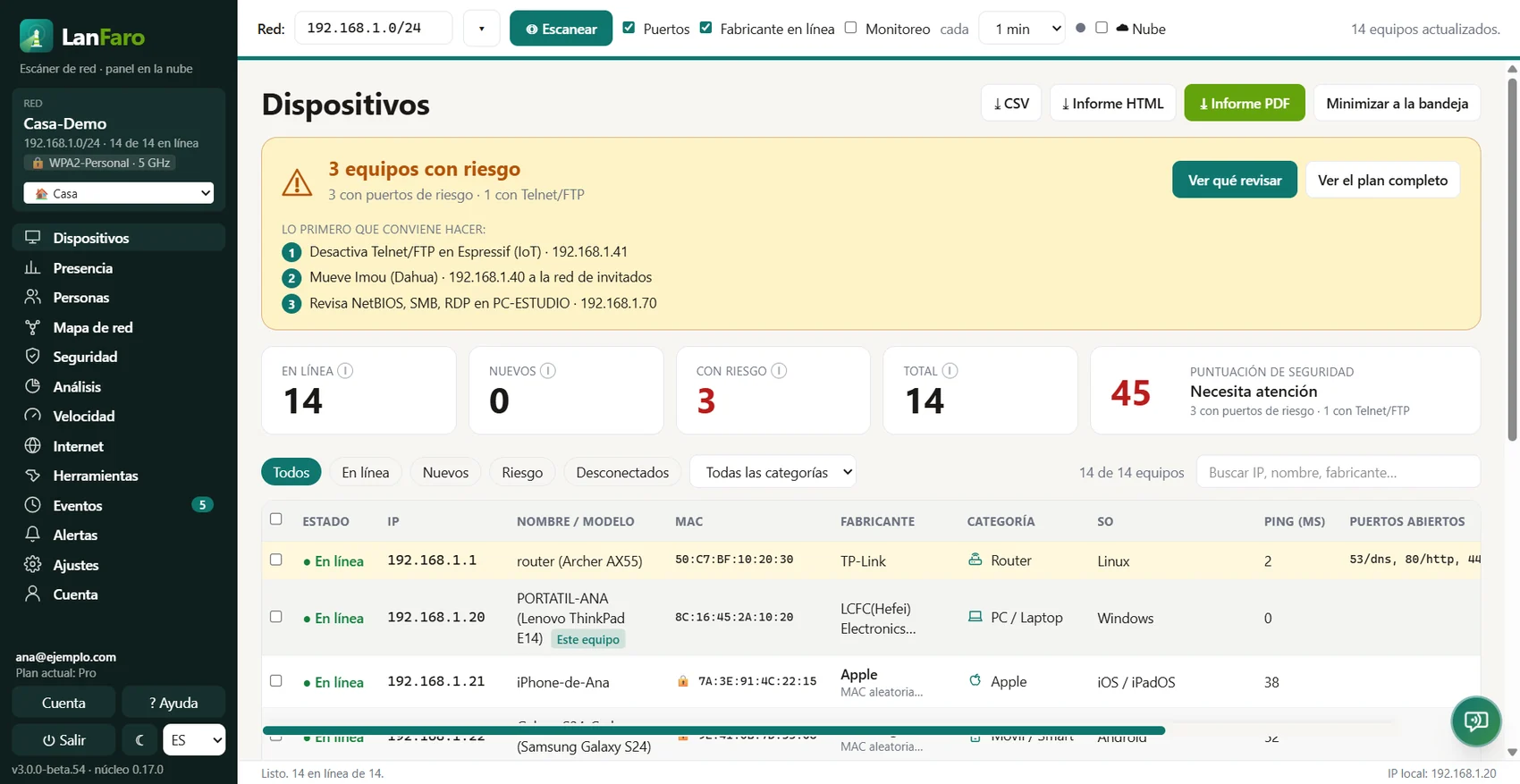
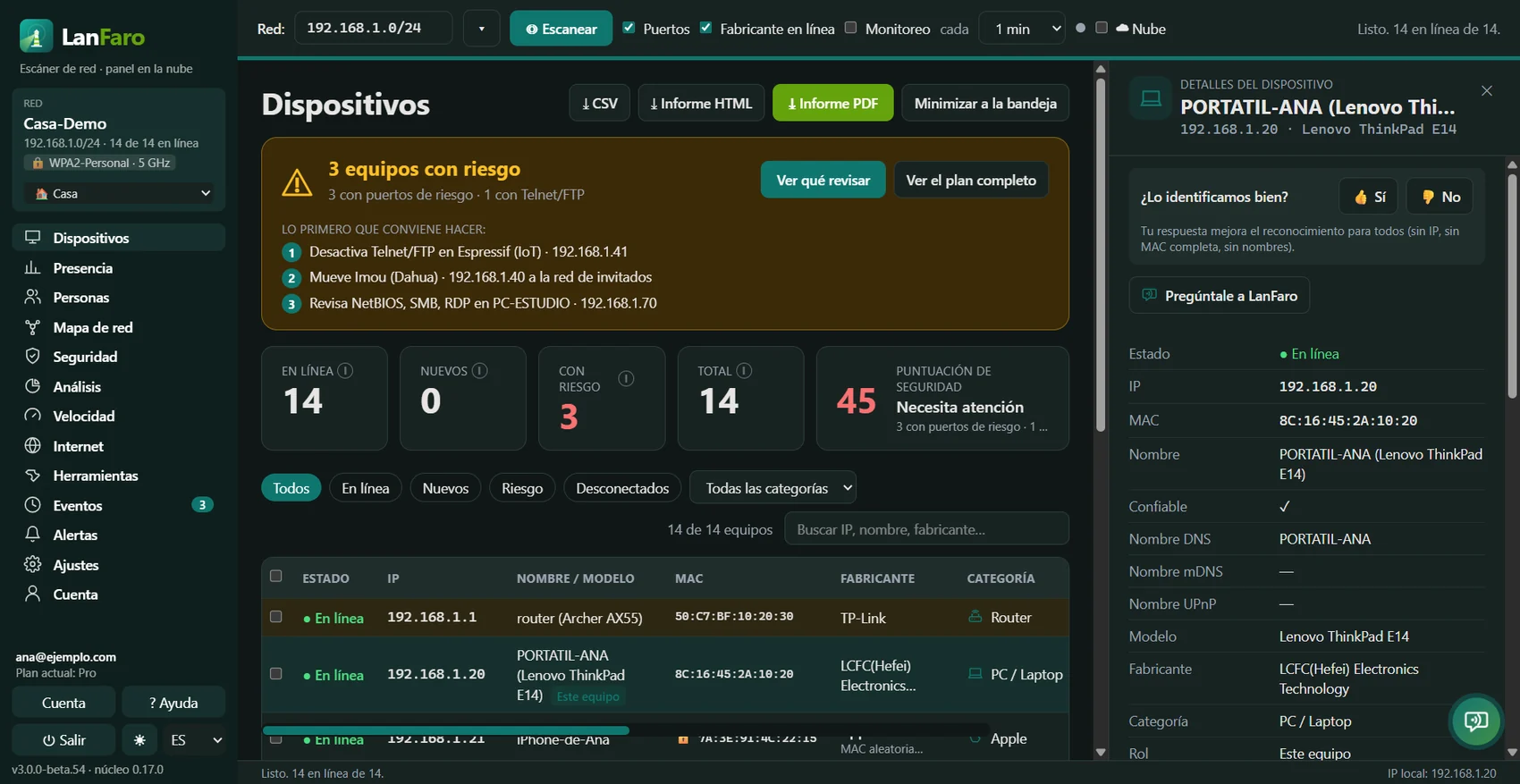
This is your network with LanFaro
Screenshots of the app with a sample home. Open LanFaro and within a minute you see the same for yours.
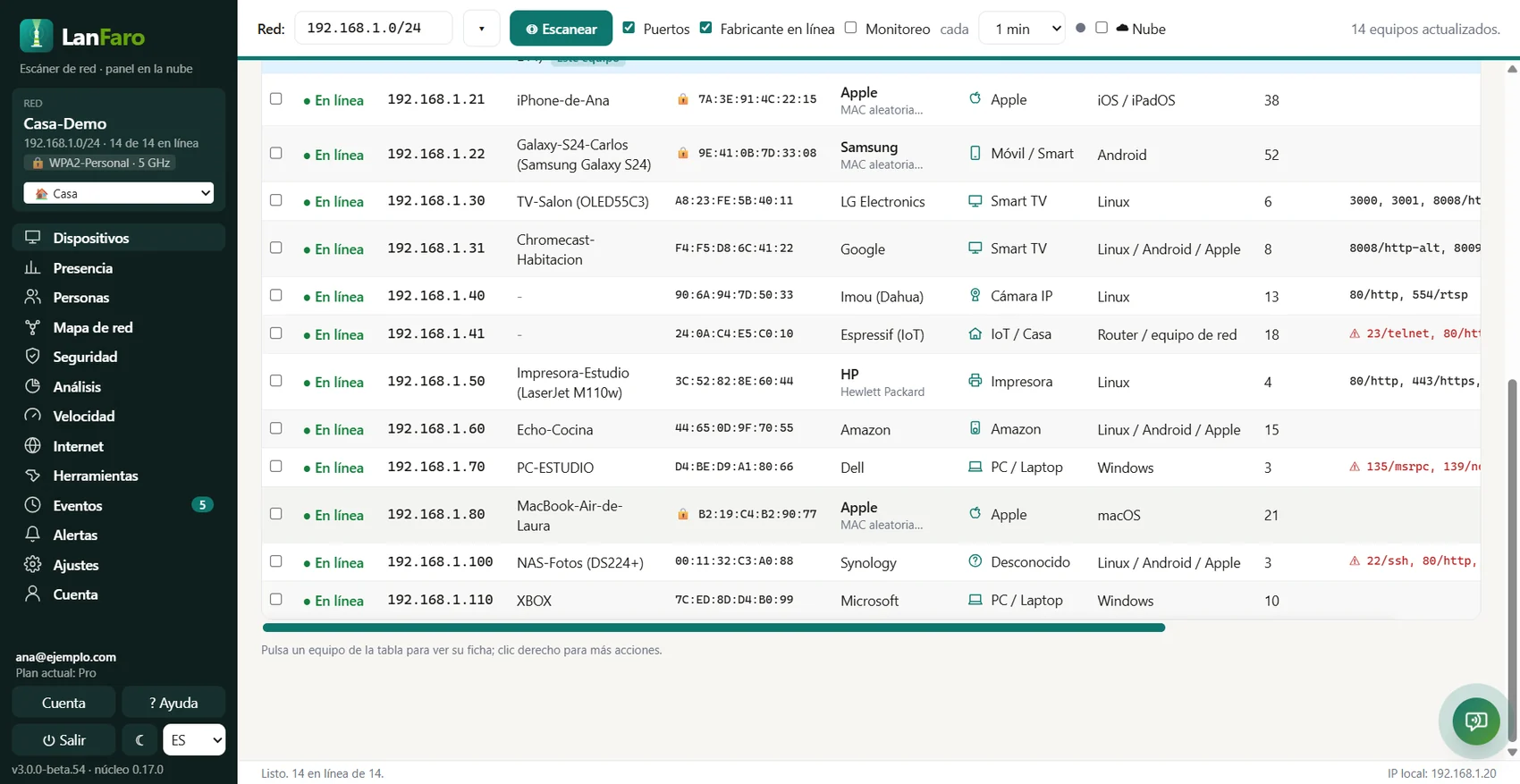
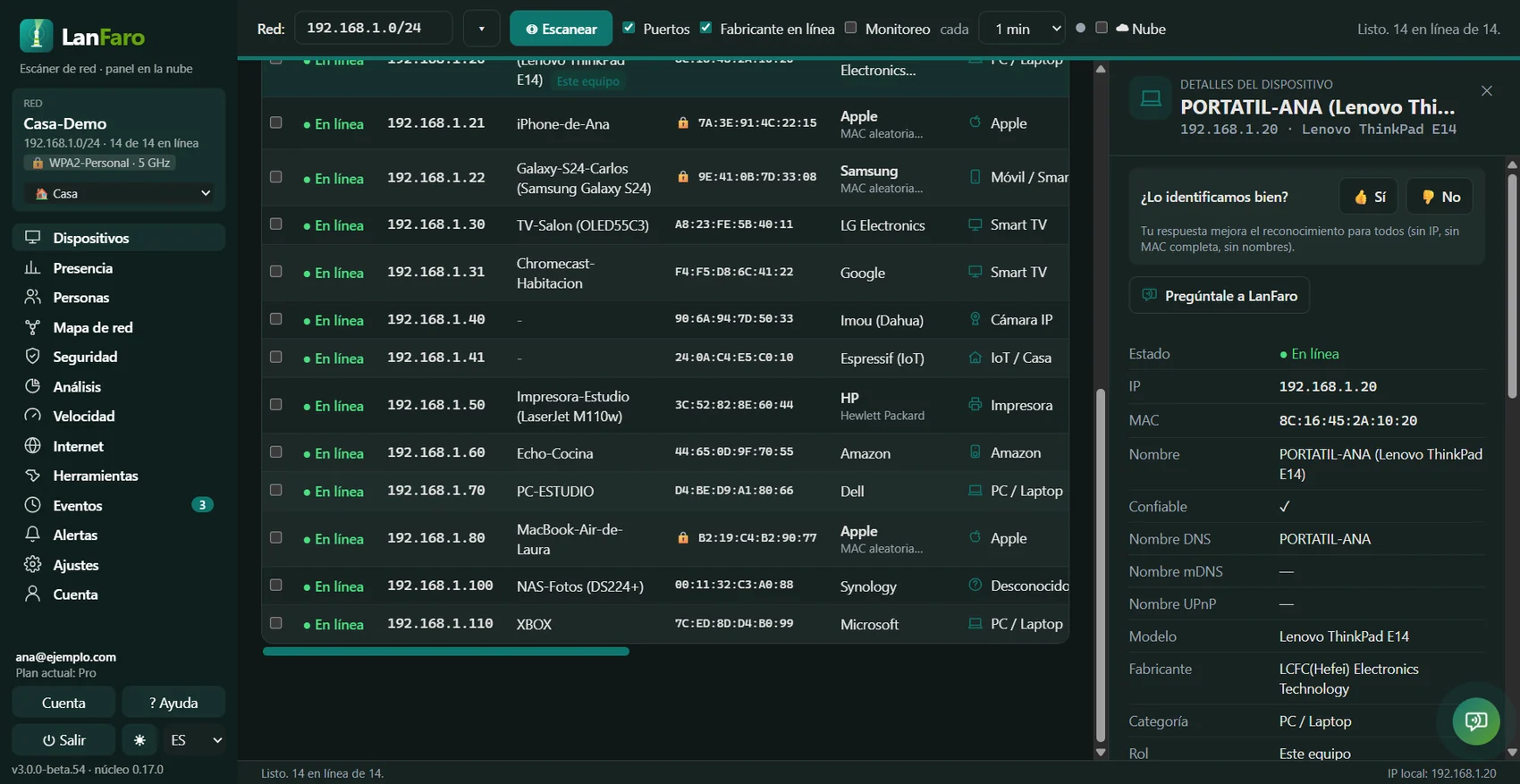
Devices
Every device, with its name and its risk
- ✓Phones, TVs, cameras, printers and PCs recognised by maker, model and system.
- ✓Devices with dangerous ports and unknown ones go to the top, in red.
- ✓A security score and the first three steps to improve it.
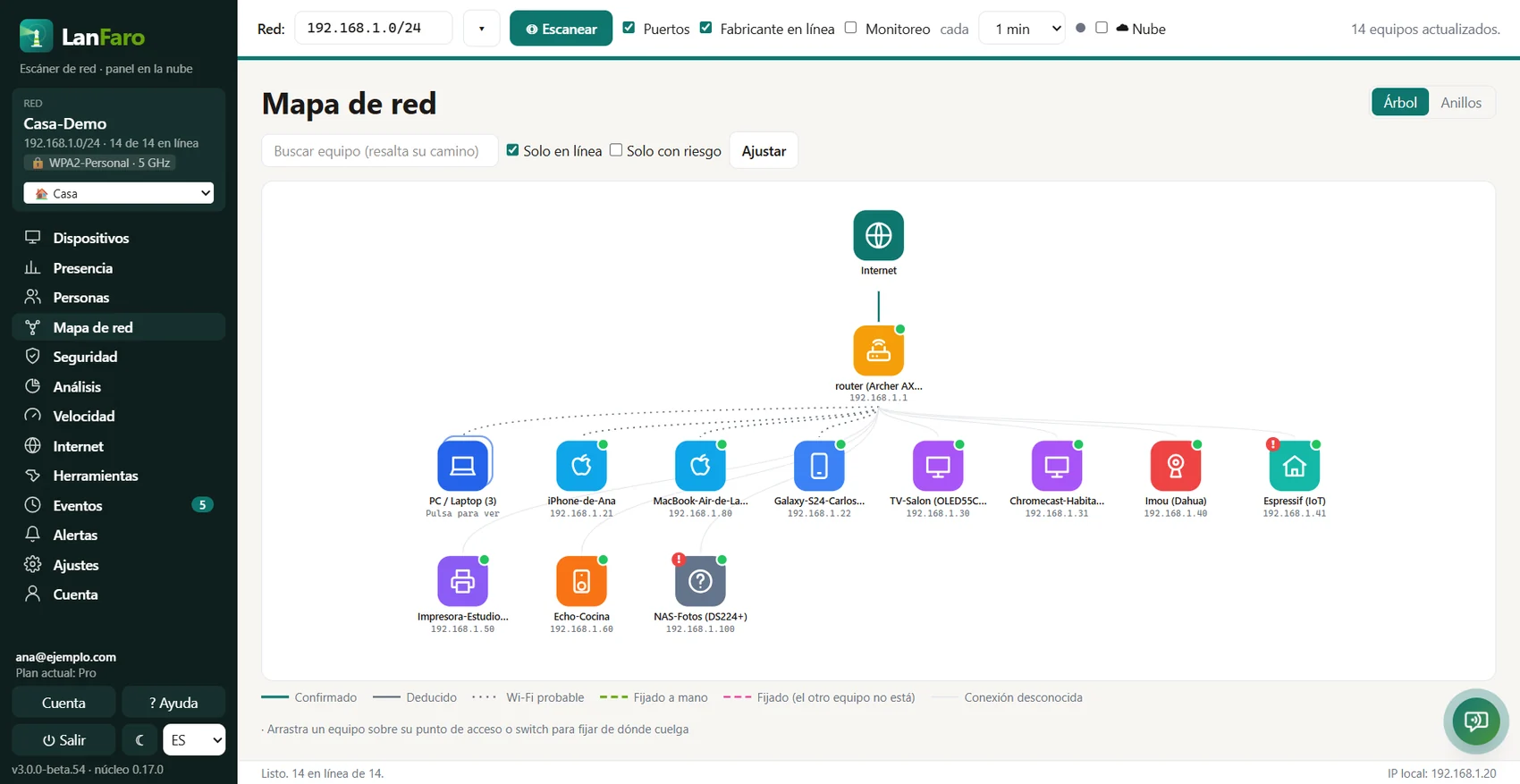
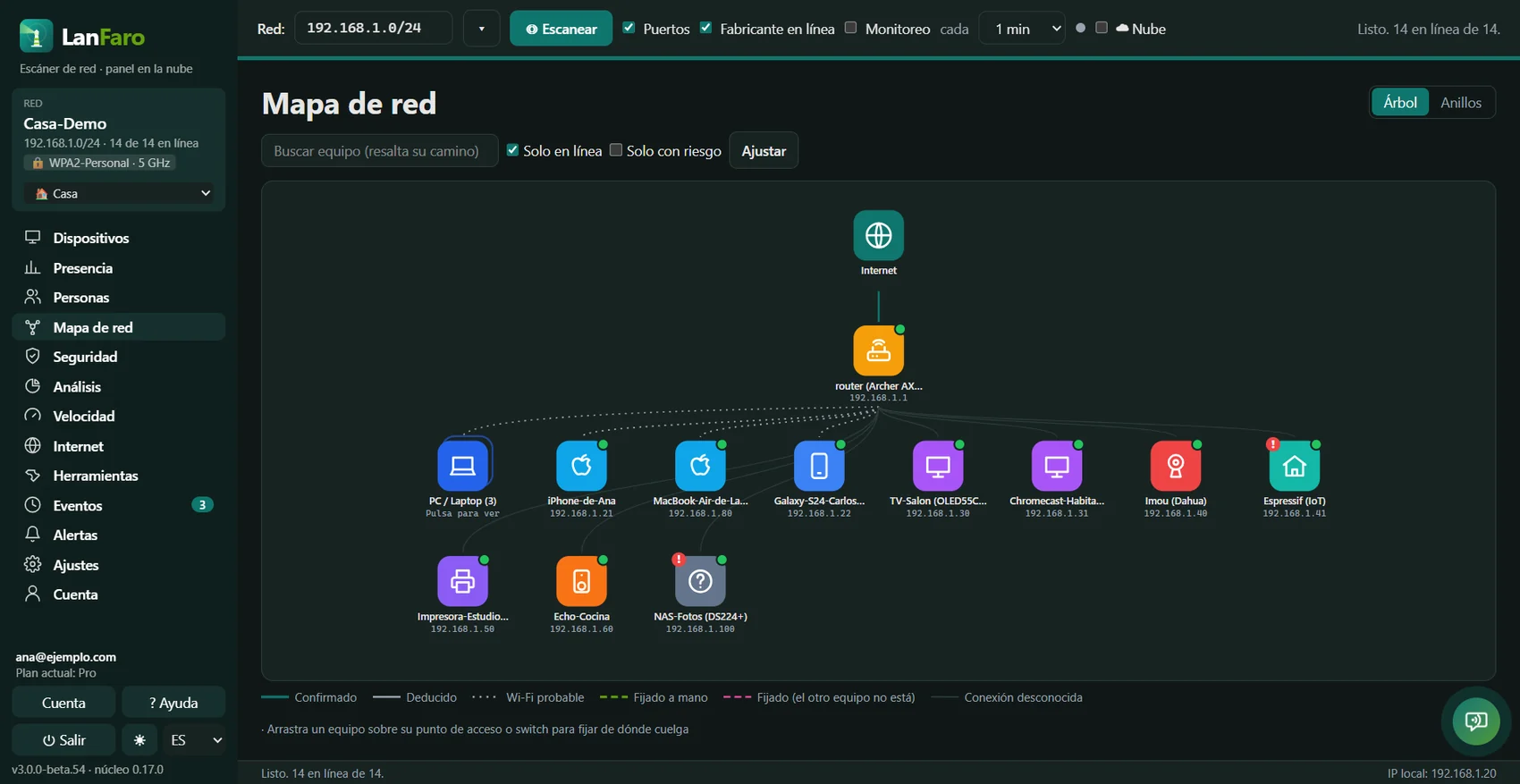
Network map
Your network at a glance
- ✓Internet, router, access points and devices, each with its icon.
- ✓Search for a device and the map highlights how it connects.
- ✓New and risky devices are flagged automatically.
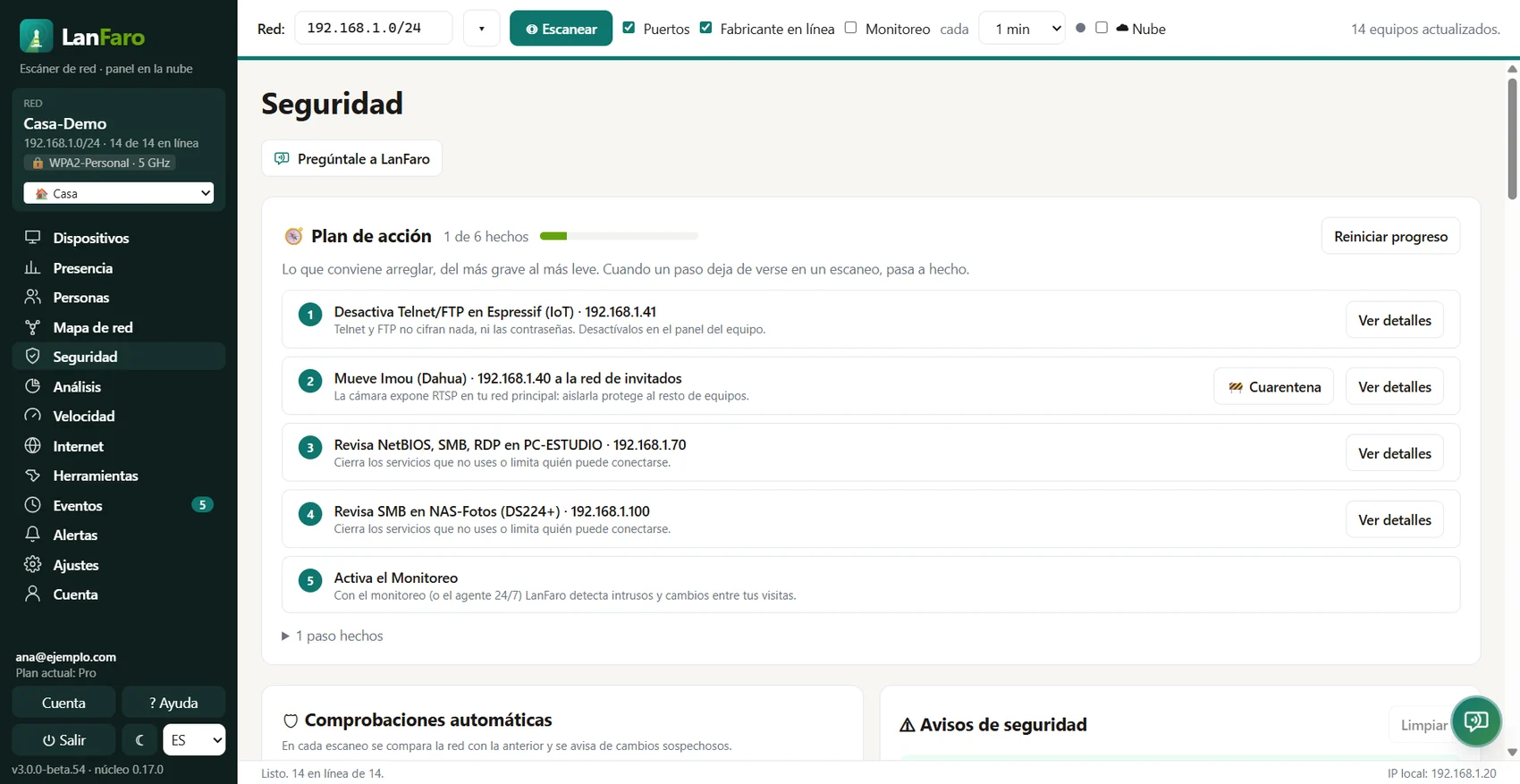
Security
An action plan, not a list of alarms
- ✓What to fix first, in plain words and with the exact device.
- ✓Checks the router, Wi-Fi, DNS, cameras, shared folders and firmware with known flaws.
- ✓It only looks: it never attacks or tries passwords on your network.
Made for your case
For your home
See who is on your Wi-Fi, find cameras and devices you don't know and get an alert when someone joins.
Free · Pro from
US$5.99/mo
Start freeFor your office
Network inventory, alerts for the team, PDF reports and an agent that watches 24/7 even when the PCs are off.
From
US$29/mo
See the plansFor technicians and MSPs
All your clients' networks in one dashboard, reports with your logo and the one-click technician visit.
From
US$29/mo
See for techniciansMake looking after your network simple
Build a complete inventory
Identify every device with IP, MAC, vendor, name, model, operating system, open ports and category.
Know what to fix first
A 0–100 score and a step-by-step plan: risky ports (Telnet, RDP, SMBv1…), weak Wi-Fi or WPS, a router with dangerous port forwards.
Track your network events
Who joined, who left and which risky ports appeared, with date and time, from your web dashboard.
Passive security: everything an attacker would try, without trying anything
LanFaro only reads what your network already publishes. It never tests passwords, never exploits flaws and never changes the router configuration. That is why you can use it on a client's network without asking for an intrusion-test authorisation.
Exposed services and SMBv1
Telnet, remote desktop, databases or Docker open to the network, and devices that accept SMBv1 (the WannaCry one) or don't require signing. Checked without user or password.
Router and Wi-Fi
UPnP forwards to cameras, WPS on, a twin Wi-Fi with weaker encryption, a rogue DHCP server and hijacked DNS.
Poor segmentation
Cameras and IoT on the same network as PCs, devices asking the whole network for names (LLMNR/WPAD) and router management in plain view.
Firmware and certificates
Matches what each device announces against a curated table of public advisories (CVE and end of life) and reads each panel's HTTPS certificate: expired, self-signed or weak.
✓ Passive DHCP/mDNS/SSDP listening without drivers, and in the app you see everything that leaves your computer ("What leaves this computer").
And there is more
At home
Is it your router or your ISP?
Each outage says where it broke and produces a report to file a claim. Plus a bufferbloat grade from A+ to F.
Test your Internet
Download, upload and latency with cloud history.
Presence and people
Who is home and when: online devices per time slot and people with their devices.
Alerts where you see them
Push on your phone, WhatsApp, email, Telegram, Discord, Slack and Teams, with a "Resolved" notice when it comes back.
24/7 agent
Raspberry Pi, NAS or Docker watching your network without a screen.
AI assistant
Explains each alert in plain language and tells you what to fix first; included in paid plans.
Rentals and travel
One-click rental check
Cameras (including those that don't announce themselves, via ONVIF), speakers with microphones, unidentified gadgets and the Wi-Fi encryption.
Router review
Published UPnP port forwards, panel without HTTPS and exposed services. Read-only, from your network.
A report for the landlord or insurer
A PDF of your network without a subscription, with a single report.
For technicians
Map your network
Tree map: Internet → router → access points → devices, with the reason for each link. Also in the PDF report.
Compliance report
Controls with status, findings with severity and the inventory as a branded PDF or HTML.
Before and after
Show your client what you fixed, with the network map in the PDF.
Reports for clients
Branded PDF, CSV and HTML ready to hand over.
Per-device diagnostics
Live ping, traceroute and one-click access to the device's web panel.
API and AI agents
Read-only REST API and MCP server for your scripts and assistants (MSP).
Use LanFaro everywhere
Best for scanning and monitoring
LanFaro Desktop
The desktop app does the heavy lifting: scanning, passive listening, continuous monitoring, alerts, security, map, speed and reports. Free, always with your account.
Best for seeing everything from anywhere
Web dashboard
Your networks, devices, events and history in the browser. Rename devices, mark them trusted and see what happened while you were away.
For technicians, integrators and MSPs
Watch every client's network from one dashboard
From US$29/mo for 10 clients, with your logo on every report.
One account, full visibility
- 1
Download and install
LanFaro Desktop for Windows or Linux (macOS coming soon). No card.
- 2
Link in 10 seconds
The app shows an 8-letter code. Confirm it on the web and you are done.
- 3
Scan and relax
If you turn on the cloud, every scan shows up in your dashboard and we tell you if someone new joins.
Plans for every need
Start free. Pay only for the cloud and professional features. Prices in USD.
Free
See who's on your Wi-Fi
US$0
Free forever
- Unlimited manual scanning (map, ports, speed, CSV)
- Passive security: router, certificates, firmware, cameras, quarantine
- Presence, people and passive listening
- Up to 25 devices per cloud network
- 1 cloud network
- 3 days of history
- 1 linked computer
Pro
Your home watched 24/7, with alerts
US$49/yr
Works out to US$4.08/mo· save US$22.88 a year
Everything in Free plus:
- AI assistant: hundreds of questions a month
- Unlimited devices per network
- 3 cloud networks
- 90 days of history
- 5 linked computers
- Continuous monitoring and background mode
- 24/7 agent (PC, Raspberry Pi, NAS or Docker)
- Email, push, Telegram, Discord, Slack, Teams and webhook alerts
- WhatsApp: 10 urgent alerts a month
- Watch critical devices
- HTML report
- Professional PDF report
- Speed test history
- Enrollment token to deploy agents
Download LanFaro Desktop
Free with a free account. Scanning runs on your computer; the cloud is optional.
Help
Up and running in 5 minutes
Step-by-step guide, help inside the app and a help center in your language. No courses, no manuals.
What everyone offers, and what only LanFaro offers
An honest comparison with the most used tools. Public data from each vendor.
| Feature | LanFaro | Fing | Angry IP | Advanced IP | Domotz |
|---|---|---|---|---|---|
| Unlimited free manual scans | Yes | No | Yes | Yes | No |
| Vendor, name and model | Yes | Yes | No | Partial | Yes |
| Exact device model | Partial | Yes | No | No | Yes |
| Passive listening without drivers | Yes | Partial | Yes | Yes | Partial |
| Where the Internet broke (router, modem, ISP) | Yes | Partial | No | No | Partial |
| Web dashboard with history | Yes | Yes | No | No | Yes |
| Intruder alerts (push, WhatsApp, email, Telegram, Slack…) | Yes | Partial | No | No | Yes |
| Plain-language security score | Yes | Partial | No | No | No |
| Watch critical devices | Yes | Yes | No | No | Yes |
| Branded PDF report | Yes | No | No | No | Partial |
| Windows and Linux (macOS coming soon) | Yes | Partial | Yes | No | Partial |
| Presence by time slot and people at home | Yes | Yes | No | No | Yes |
| Find hidden cameras (ONVIF) | Yes | Partial | No | No | No |
| Router review (UPnP, panel, services) | Yes | Partial | No | No | Yes |
| HTTPS certificates of admin panels | Yes | No | No | No | No |
| Firmware cross-checked with public advisories | Yes | No | No | No | Partial |
| Guided quarantine with verification | Yes | No | No | No | No |
| Compliance report for MSPs | Yes | No | No | No | Partial |
| API and MCP server for AI agents | Yes | Yes | No | No | Yes |
| No attacks, no router changes | Yes | Yes | Yes | Yes | Partial |
| Export and delete your data in one click | Yes | Partial | — | — | Partial |
| Paid plan price (month) | US$5.99 | US$8.99 · US$19.99 (Pro) | — | — | €35/site (≈ US$40, Nov 2026) |
Fing: Free limited to 3 scans a day; Premium US$8.99/mo and Professional US$19.99/mo with API and MCP (fing.com/pricing). Domotz: €35 per site per month (≈ US$40 at the November 2026 rate), €28 at 10 and €22.50 at 100 with an annual commitment, unlimited devices (domotz.com/pricing). Angry IP and Advanced IP: free, no cloud or alerts. Data as of November 2026.
Frequently asked questions
›Does LanFaro read my traffic or passwords?
No. It only uses ping, your system's ARP table, DNS/mDNS/UPnP, TCP connections to common ports and a read of each HTTPS panel's certificate, like a browser. It never intercepts content nor tests passwords.
›Do I need an account to use the app?
Yes, and it is free. With an account your networks, alerts and history follow you to any computer. The Free plan includes full, unlimited scanning; data is uploaded only if you enable it.
›Can I cancel anytime?
Yes. From Plan & billing, in one click. You keep access until the end of the paid period, with a 14-day guarantee on the first payment.
›Where is my data stored?
In Supabase (database) with per-user isolation. You can download everything as JSON or delete the account instantly.
›Does LanFaro attack devices or change my router?
Never. It is a product decision: it does not test credentials, exploit vulnerabilities or automate router changes. Quarantine and blocking are guided: you do them in the router panel and LanFaro verifies the result.
›What happens when the 14 days of Pro end?
You move to Free and nothing is charged: you keep scanning without limits and with every security check.
›Can I see prices in my currency? Is there an invoice?
In some countries you see an approximate price in your currency; it is charged in US dollars. Lemon Squeezy issues the invoice and handles taxes.
›Why does Windows show SmartScreen on opening?
The app is not signed with a commercial certificate yet. On Windows: “More info → Run anyway”. The macOS version is coming soon.
›Does it work on my phone?
The web dashboard installs as an app on your phone and gets push notifications. Scanning is done by the desktop app or the 24/7 agent.
›How is it different from Fing?
Fing recognizes more exact device models. LanFaro explains each device's risk and what to do first, checks the router, Wi-Fi and segmentation without drivers, scans without limits on Free and produces branded reports.